
Seedance Prompts: 7 Image-to-Video Patterns
Write better Seedance image-to-video prompts with seven tested motion patterns, a reusable shot template, continuity rules, examples, and a real video.
 Prompt Photo Team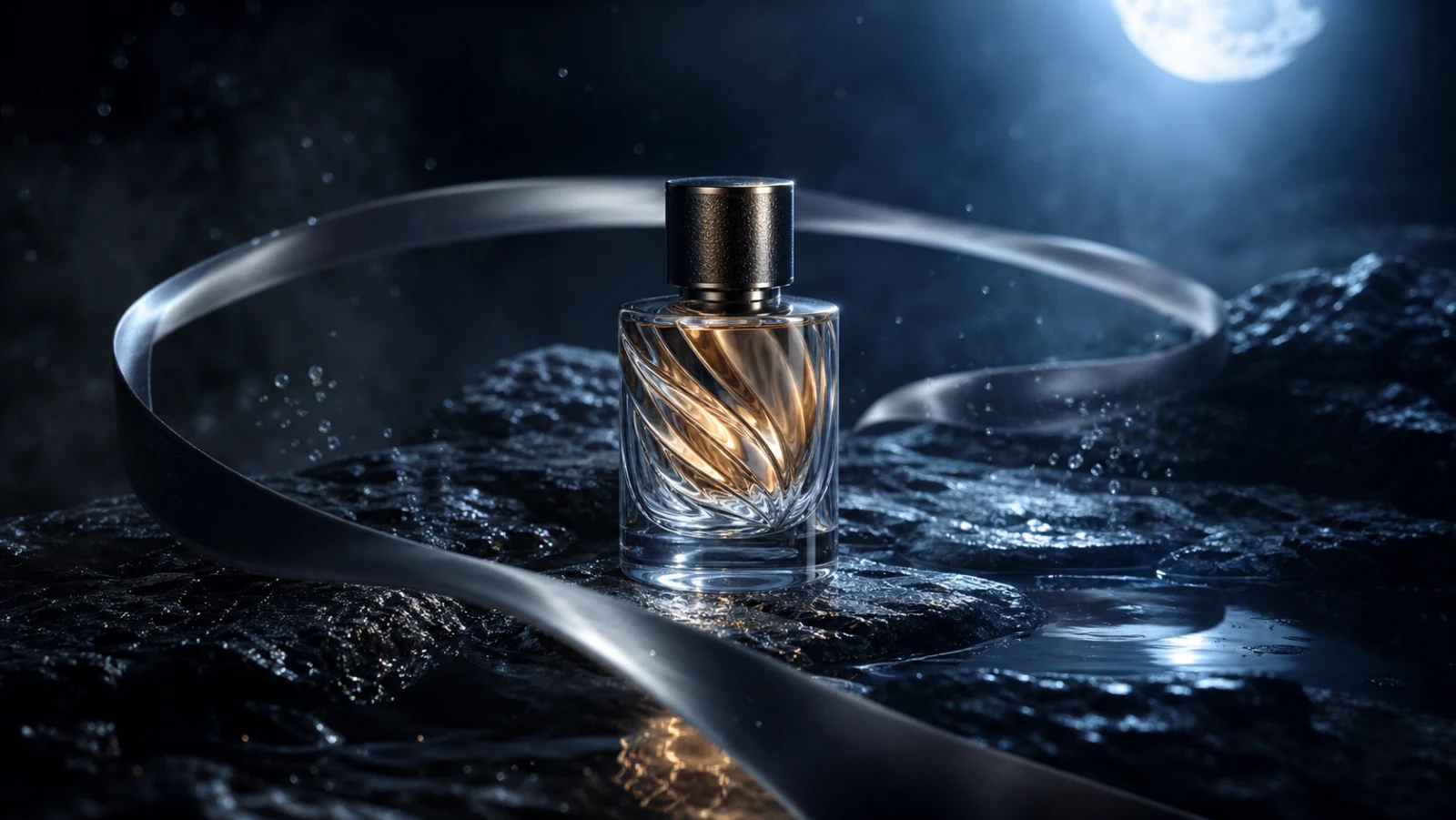
An image prompt describes a frame. A Seedance image-to-video prompt must describe what changes across time while protecting everything that should remain stable. That difference is why a beautiful source photo can still produce a shaky, morphing, or unusable clip.
The most reliable approach is to write a video prompt as a shot plan: subject action, camera path, environment motion, continuity rules, and a deliberate ending.
Watch the motion hierarchy
This 15-second example is useful because it has a readable primary action and a clear cinematic progression. Watch how the subject remains recognizable while camera movement and environmental motion support the scene instead of competing with it.
A reusable Seedance prompt structure
Write the shot in this order:
[Shot type and duration]. The [subject] performs [one primary action]. The camera [one camera movement] at [speed and direction]. In the environment, [one secondary motion]. Preserve [identity and geometry constraints]. Lighting remains [continuity instruction]. The shot ends with [specific final frame]. Avoid [failure modes].
The order matters. It establishes the shot before adding detail and places continuity constraints before the exclusions.
Pattern 1: Slow push-in product reveal
Best for product launches, food, jewelry, and hero shots.
A 6-second slow push-in shot of a cobalt-blue fragrance bottle on wet black stone. Water droplets slide gradually down the glass while a thin layer of mist drifts behind it. The camera moves straight forward at a constant speed with no roll or lateral drift. Preserve the exact bottle silhouette, cap, and label proportions throughout. The shot ends on a stable centered hero frame with clean space above the product. No object morphing, duplicate bottles, added text, or sudden focus changes.
Why it works: the camera has one simple path, the environment supplies restrained secondary motion, and the final frame is useful for a thumbnail or edit point.
Pattern 2: Controlled orbit
Best for objects whose shape or material should be revealed from several angles.
Use a partial orbit rather than asking for a full dramatic spin. Specify direction, arc, speed, and what stays centered.
The camera makes a smooth 30-degree clockwise orbit around the watch while keeping the dial centered and level. Reflections travel naturally across the metal bezel. Preserve the dial markings, hand positions, case geometry, and strap connections. End at a three-quarter product angle and hold for one second.
A smaller arc reduces the opportunity for the model to invent unseen geometry.
Pattern 3: Parallax from a still photo
Best for landscapes, interiors, posters, and layered compositions.
Identify foreground, middle ground, and background explicitly. Then assign different movement speeds:
The foreground leaves drift slowly from right to left, the seated subject remains nearly still in the middle ground, and the distant mountains move only through subtle atmospheric haze. The camera slides gently left, creating natural depth without changing the subject's face or body position.
Avoid “make this photo 3D” as the only instruction. It does not define which layers move or how much.
Pattern 4: Micro-motion portrait
Best for editorial portraits and social loops.
Keep the body pose stable and use two or three small actions:
- one natural blink;
- subtle breathing;
- a slight fabric or hair response to air;
- a minimal camera push-in.
Do not request a head turn, smile change, hand movement, hair motion, and camera orbit at the same time. Large simultaneous changes are where identity drift becomes visible.
Pattern 5: Action with anticipation and resolve
Best for a gesture, reveal, transformation, or narrative beat.
Divide the clip into three phases without over-scripting every second:
- Anticipation: the subject prepares or the environment signals change;
- Action: one clear event happens;
- Resolve: motion settles into a readable final frame.
Example: “The cyclist leans forward as dust begins to lift, accelerates past camera in one continuous move, then the camera settles on the empty sunlit road.” This gives the model a beginning, middle, and end without asking for multiple scenes.
Pattern 6: Seamless loop
Best for ambient social posts, backgrounds, and product displays.
Choose motion that can return to its starting state: drifting steam, rotating light, breathing, swaying fabric, or rippling water. State that the first and last frames should align in subject position, camera position, and lighting.
Avoid irreversible events such as breaking glass, opening a package, or walking out of frame when a seamless loop is required.
Pattern 7: Final-frame transition
Best when a photo needs to become a usable ad ending or handoff frame.
Describe the transition and the destination, not a sequence of unrelated effects:
The camera rises slowly as the surrounding mist clears, revealing the product centered against a clean dark gradient. Motion decelerates naturally and ends with the product still, fully visible, and the right third empty for copy.
The final-frame instruction is as important as the opening image. It determines whether the clip can be edited into a campaign.
Separate the three motion layers
Every prompt should distinguish:
- Subject motion: blinking, walking, liquid pouring, fabric shifting
- Camera motion: push-in, pull-back, pan, tilt, orbit, handheld follow
- Environment motion: haze, rain, leaves, shadows, particles
Choose one primary layer and keep the other two supportive. If subject, camera, and environment all move aggressively, the clip loses a stable visual reference.
Continuity rules worth writing explicitly
- preserve face, clothing, product geometry, and object count;
- maintain the same lighting direction and time of day;
- keep labels and text unchanged when accuracy matters;
- prevent new hands, props, or background characters;
- avoid cuts, angle jumps, and sudden zooms;
- keep movement physically plausible;
- hold the final composition long enough to read.
Pre-generation checklist
Before sending a Seedance prompt, verify:
- Can you describe the shot in one sentence?
- Is there only one primary action?
- Does the camera have one clear path?
- Are identity-critical details protected?
- Is environment motion secondary?
- Does the clip have a defined ending?
- Are exclusions specific rather than generic?
Use a Prompt Photo image prompt as the visual foundation, then add time, motion hierarchy, continuity, and a final frame. That is the bridge from an attractive still image to a video you can actually edit and publish.