
GPT Image Prompt Remix: A 7-Step Workflow
Turn any AI photo prompt into an original GPT Image concept with this practical 7-step workflow, reusable template, test matrix, and quality checklist.
 Prompt Photo Team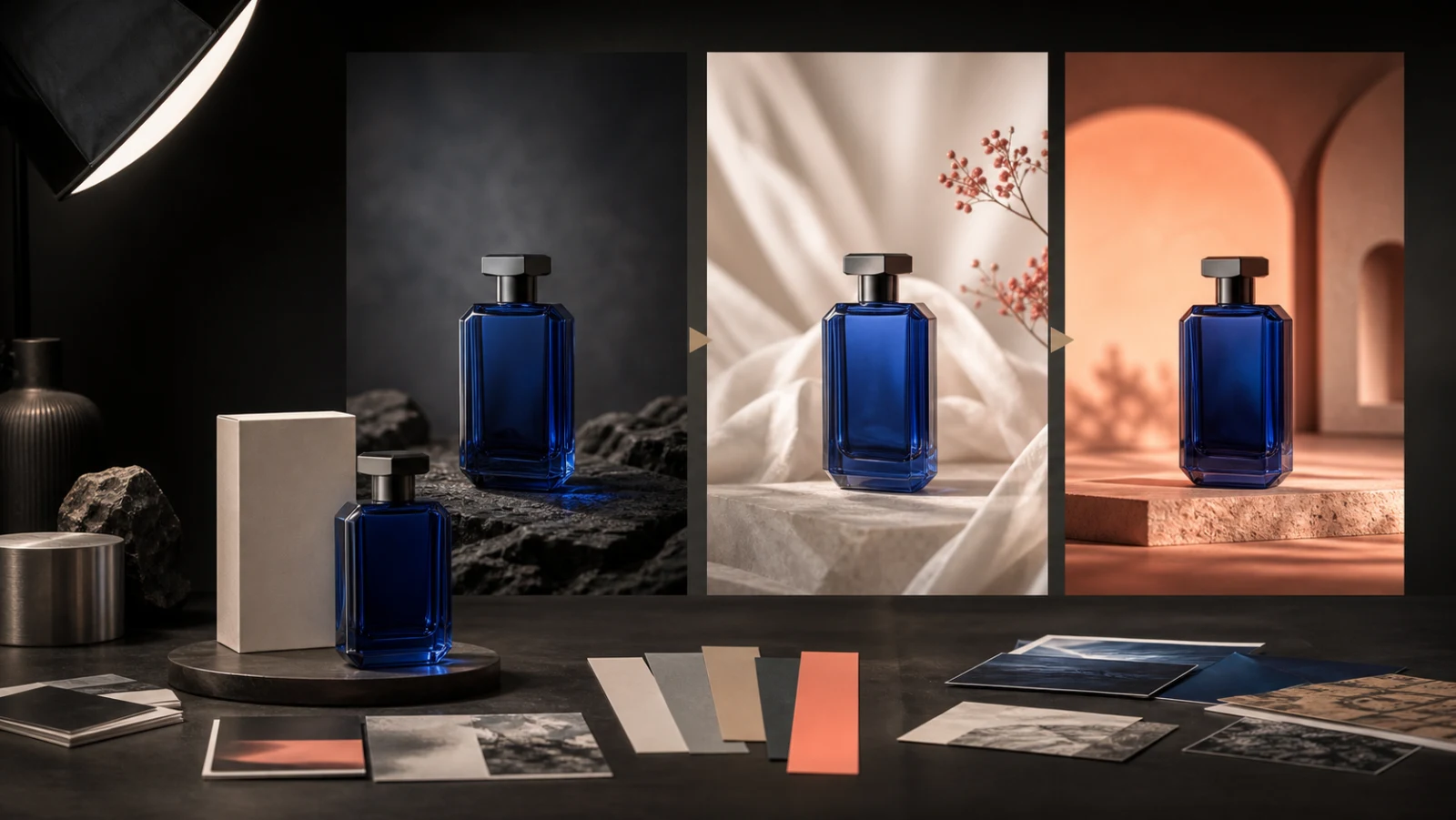
Copying a good prompt word for word is fast, but it usually produces a familiar image with someone else's subject, composition, and limitations. A useful remix keeps the visual logic and rebuilds the creative decisions around your own goal.
This workflow is designed for GPT Image photo editing and generation, but the same structure works with ChatGPT image prompts and other instruction-based image models.
The short answer
To remix an AI photo prompt without copying it:
- define the image's job;
- identify the prompt's reusable visual structure;
- replace the subject and context;
- add project-specific constraints;
- separate reference-image rules from style direction;
- generate controlled variations;
- evaluate the result against a fixed checklist.
The important shift is simple: reuse the reasoning, not the nouns.
1. Define the visual job
Start with the business or communication task, not a style adjective. A clear job gives every later prompt decision a purpose.
- Product hero: recognizable shape, clean hierarchy, controlled reflections
- Social poster: strong focal point, high contrast, text-safe negative space
- Ecommerce image: accurate product details, neutral composition, consistent scale
- Editorial portrait: believable skin, intentional environment, expressive lighting
- Brand mood image: coherent palette, materials, atmosphere, and visual rhythm
Write the job in one sentence: “Create a 4:5 product hero for a summer fragrance campaign with empty space above the bottle for copy.” That sentence is more useful than a list such as “cinematic, premium, stunning, 8K.”
2. Extract the reusable structure
Most effective photo prompts contain seven layers:
- subject and defining attributes;
- environment;
- composition and camera position;
- material or visual medium;
- lighting;
- intended output or aspect ratio;
- constraints and exclusions.
Mark which layers are structural and which are tied to the original image. If a football portrait works because of a low fisheye angle, hard stadium rim light, and magazine-cover framing, those three choices may be reusable. The player, uniform, badge, and stadium identity are not.
3. Replace the subject and context together
Changing only the subject often creates a visual contradiction. A skincare bottle placed into a prompt written for a running athlete may inherit motion blur, an extreme pose, and an environment that does not support product readability.
Replace these as one group:
- subject;
- action or state;
- supporting objects;
- environment;
- audience and campaign context.
Then keep only the visual mechanics that still serve the new job.
4. Add constraints that make the result yours
Originality comes from specific constraints more often than from extra adjectives. Useful constraints include:
- exact product category and material;
- intended buyer or viewer;
- campaign season;
- brand palette expressed as colors, not copied brand names;
- required aspect ratio;
- placement of negative space;
- details that must remain accurate;
- elements that must not appear.
For photo editing, state what must remain unchanged before describing what should change. For example: “Preserve the bottle geometry, cap, label proportions, and camera angle. Change only the surface, background, lighting, and supporting props.”
5. Give reference images explicit roles
A reference image should not be treated as a vague command to “make it like this.” Assign each reference one role:
- identity reference: preserve the person or product;
- composition reference: borrow framing and object placement;
- lighting reference: borrow direction, contrast, and softness;
- material reference: borrow surface and texture behavior;
- palette reference: borrow color relationships only.
Also say what must not transfer: logos, faces, text, trademarks, or distinctive decorative elements. This reduces accidental copying and gives the model a clearer hierarchy.
6. Use a prompt that is easy to test
Here is a reusable GPT Image prompt template:
Create a [format and image job] featuring [subject and defining details] in [environment]. Use [composition and camera position]. The visual treatment should use [materials or medium], with [lighting direction and quality] and a [color palette] palette. Preserve [identity-critical details]. Leave [location] clear for [text or layout need]. Change only [allowed changes]. Do not include [exclusions]. Output in [aspect ratio].
Worked product-photo example
Create a 4:5 premium ecommerce hero image featuring an unbranded cobalt-blue glass fragrance bottle with a geometric silver cap. Place it on wet black stone in a minimal studio. Use a slightly low, centered camera angle with the bottle occupying the lower two-thirds of the frame. Add a soft warm key light from camera left and a cool rim light from behind. Preserve the exact bottle silhouette, cap proportions, and transparent blue glass. Leave clean negative space in the upper third for campaign copy. Do not add hands, logos, readable text, extra bottles, flowers, or distorted reflections.
This prompt is specific enough to evaluate. If the silhouette changes, the identity rule failed. If the upper third becomes busy, the layout rule failed. If extra products appear, the exclusion failed.
7. Run a controlled variation matrix
Do not change everything between generations. Keep the subject and constraints fixed, then test one axis at a time:
- Lighting: soft daylight / hard theatrical light / colored rim light
- Camera: eye level / low angle / top-down
- Surface: wet stone / brushed steel / warm travertine
- Background: seamless studio / architectural niche / natural environment
- Composition: centered / rule of thirds / close crop
Save the prompt and result for each variation. After three to five controlled tests, you will know which instruction is driving the useful change instead of guessing from a completely different prompt every time.
Quality checklist before publishing or exporting
- The subject is recognizable and structurally consistent.
- The image solves the original job.
- The lighting direction makes physical sense.
- Materials behave believably.
- No unwanted text, logos, extra limbs, or duplicate objects appear.
- Negative space is where the layout needs it.
- The result is meaningfully different from the reference.
- The prompt can be reused because its variables are clear.
Common mistakes
Keeping too much of the original prompt
If the subject, setting, palette, and composition all remain unchanged, replacing a few adjectives is not a remix. Change the creative brief first.
Adding quality words instead of decisions
“Masterpiece, ultra detailed, award-winning” does not specify camera position, light direction, material, or layout. Replace generic praise with visible decisions.
Hiding conflicting instructions in a long paragraph
If a prompt asks for both a centered catalog image and a dynamic off-axis cinematic crop, the model has no stable priority. Put the job and invariants first, then remove contradictory style requests.
The best way to use the Prompt Photo library is to inspect a result, identify its visual structure, and rebuild that structure around a new brief. The gallery supplies starting points; this workflow turns them into original, usable images.